Why Mobile & Offline CMMS is Essential for Schools
Educational institutions such as schools, universities, and early learning centres are dynamic, high-traffic environments that require continuous maintenance and efficient facility management. From classrooms and playgrounds to laboratories and campus infrastructure, maintenance teams are constantly moving across different locations to keep operations running smoothly.
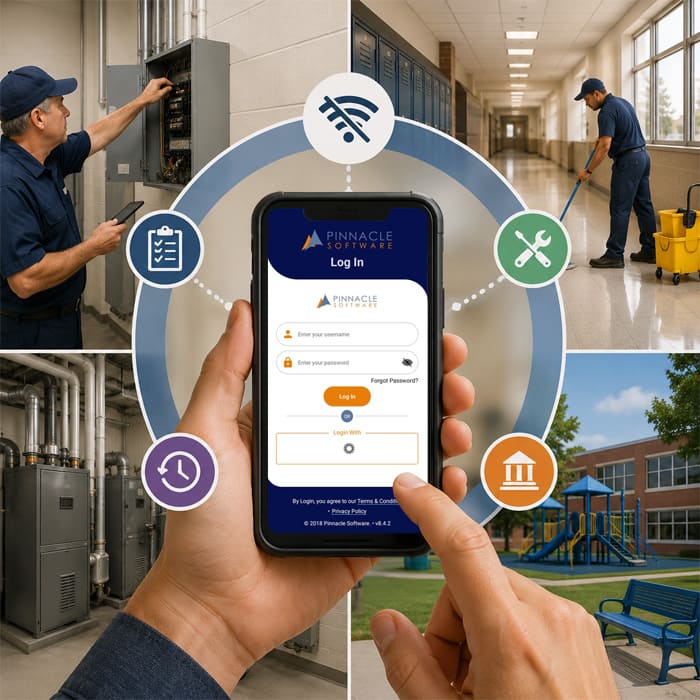
In such environments, relying on a traditional desktop-based maintenance system is no longer sufficient. Facilities teams often work in areas where internet connectivity can be limited—such as basements, remote campus buildings, or outdoor facilities. This is why mobile and offline access in a CMMS (Computerised Maintenance Management System) has become essential—not just a convenience, but a necessity.
The Need for Mobility in School Facilities Management
Maintenance staff are rarely stationed behind a desk. They respond to issues in real time, inspect facilities, and carry out repairs across multiple buildings or campuses. A mobile-enabled CMMS allows teams to access critical information instantly, directly from their smartphones or tablets.
With mobile access, maintenance teams can:
- Receive work orders as soon as they are logged
- Update job status on-site
- Access asset history and maintenance records
- Capture photos and notes in real time
This level of accessibility improves efficiency, reduces delays, and ensures better service for staff and students.
Why Offline Capability is Critical
While mobile access is important, it becomes significantly more powerful when combined with offline functionality. In many educational settings, internet connectivity is not always reliable. Without offline capability, maintenance tasks can be delayed or disrupted.
An offline-enabled CMMS ensures that teams can continue working even without an internet connection. Maintenance staff can:
- Complete work orders and inspections offline
- Record notes, updates, and images
- Continue daily operations without interruption
- Sync all data automatically once connectivity is restored
This ensures that productivity is maintained regardless of connectivity challenges, making the system truly flexible and reliable.
Key Benefits of Mobile & Offline CMMS for Schools
- Manage Maintenance Across Multiple Campuses
Schools and universities often operate across multiple buildings or locations. A mobile and offline CMMS allows facilities teams to manage maintenance activities from anywhere, without needing to return to a central office.
This ensures better coordination and consistency across all sites.
- Ensure Continuous Operations—Even Without Internet
One of the biggest advantages of offline capability is the ability to continue working without interruption. Maintenance tasks, inspections, and updates can be carried out regardless of internet availability.
This eliminates downtime caused by connectivity issues and ensures that work progresses as planned.
- Improve Response Times and Service Delivery
Quick response to maintenance issues is essential in educational environments. Delays can disrupt classes, impact safety, or affect student experience.
With mobile and offline CMMS:
- Work requests are received instantly
- Jobs are assigned quickly
- Updates are recorded in real time
This leads to faster issue resolution and improved service delivery.
- Maintain Compliance and Safety Standards
Schools are required to meet strict safety and regulatory standards. Regular inspections, maintenance logs, and audit records must be maintained accurately.
Mobile and offline CMMS allows teams to:
- Complete inspections using digital checklists
- Record findings instantly with photos and timestamps
- Maintain accurate, audit-ready records
Even in areas without connectivity, critical compliance data is captured and stored, reducing risk and ensuring readiness for audits.
- Empower Teams to Work Efficiently from Anywhere
A key benefit of mobile and offline CMMS is that it empowers maintenance teams to work efficiently without limitations. Staff no longer need to rely on paperwork or return to the office to update systems.
Instead, they can:
- Access information on-site
- Complete tasks faster
- Reduce administrative workload
- Focus more on maintenance and less on data entry
This improves overall productivity and job satisfaction while ensuring better outcomes for the organisation.
Conclusion
Modern educational facilities demand smarter, more flexible maintenance solutions. A CMMS without mobile and offline capabilities can limit efficiency, slow down response times, and create operational challenges.
By adopting a mobile and offline-enabled CMMS, schools, universities, and early learning centres can ensure continuous operations, improve service delivery, and maintain the highest standards of safety and compliance.
Asset Easy CMMS by Pinnacle Software provides advanced mobile and offline functionality, enabling your facilities team to work efficiently anytime, anywhere—delivering safer, smarter, and more reliable learning environments.