Why Your CMMS Needs Mobile & Offline Access
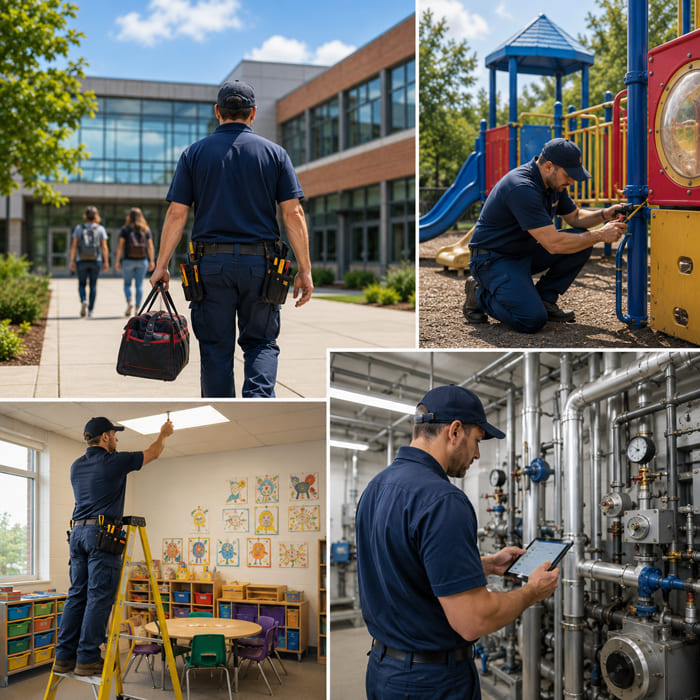
In today's dynamic environments, managing maintenance efficiently requires more than just a centralised system—it requires mobility and flexibility. For schools, universities, and early learning centres, facilities teams are constantly on the move, maintaining classrooms, equipment, playgrounds, and infrastructure across multiple locations.
While a traditional CMMS (Computerised Maintenance Management System) provides strong functionality, it can fall short without mobile and offline access. These capabilities are essential for ensuring that maintenance operations remain efficient, responsive, and reliable—no matter where your team is working.
The Limitations of a Desktop-Only CMMS
A desktop-only CMMS can create bottlenecks for maintenance teams who are rarely stationed in one place. Common challenges include:
- Delays in receiving and updating work orders
- Dependence on returning to a workstation
- Manual note-taking and duplicated data entry
- Lack of real-time visibility into maintenance activities
For educational institutions with multiple buildings or campuses, these limitations reduce productivity and slow down service delivery.
What is Mobile CMMS?
A mobile CMMS enables users to access the system through smartphones or tablets, allowing maintenance teams to:
- Receive and manage work orders instantly
- Update job progress in real time
- Access asset information on-site
- Capture photos, notes, and job details
This ensures teams stay connected and productive at all times.
The Importance of Offline Capabilities
In many school environments—such as basements, remote campuses, or outdoor facilities—internet connectivity can be limited or unreliable. This is where offline functionality becomes critical.
With offline-enabled CMMS, users can:
- Continue working without an internet connection
- Complete work orders and inspections offline
- Capture notes, images, and updates on-site
- Automatically sync data once back online
Offline capability ensures that work never stops, even in low-connectivity areas, providing true flexibility for maintenance teams.
Key Benefits of Mobile & Offline CMMS
- Real-Time Work Order Management
Mobile access allows teams to receive and act on work orders immediately:
- Faster job allocation
- Instant updates
- Reduced downtime
Even offline, work can continue and sync later—ensuring no delays in task completion.
- Increased Productivity and Efficiency
Maintenance staff can work more efficiently by:
- Completing tasks directly on mobile devices
- Eliminating paperwork and double-handling
- Closing jobs instantly (or syncing later offline)
This improves productivity and reduces administrative workload.
- Improved Asset Management
On-site access to asset data helps technicians:
- Review maintenance history and service records
- Check warranties and asset details
- Identify recurring issues quickly
Offline access ensures this information is still available even without connectivity.
- Better Communication and Collaboration
Mobile CMMS improves visibility across all stakeholders:
- Real-time updates for staff and facilities teams
- Clear tracking of maintenance requests
- Improved coordination across campuses
- Enhanced Data Accuracy
Recording data at the point of work improves accuracy:
- Capture updates instantly
- Attach photos and supporting evidence
- Reduce errors from manual entry
Offline mode ensures information is captured immediately and synced later.
- Faster Response Times
In schools and early learning centres, quick response times are critical. Mobile CMMS enables:
- Immediate alerts and notifications
- Faster job assignment
- Quicker resolution of issues
This ensures minimal disruption to learning environments.
- Stronger Compliance and Reporting
Mobile CMMS helps maintain complete and accurate records:
- Real-time maintenance logs
- Automated documentation
- Audit-ready reports
Schools can easily meet regulatory and safety requirements.
- Streamlined Inspections and Audit Management
Mobile and offline CMMS significantly enhance inspection processes and audit readiness.
Facilities teams can:
- Conduct inspections directly from mobile devices
- Complete digital checklists for classrooms, playgrounds, and equipment
- Record findings with photos, notes, and timestamps
- Generate work orders instantly for issues identified
Even without internet access, inspections can continue uninterrupted and sync once online.
Improved Audit Readiness
All data is securely stored and easily accessible, allowing organisations to:
- Maintain accurate compliance records
- Generate reports quickly
- Demonstrate adherence to safety standards
- Reduce audit risks
Real-Time Visibility and Accountability
Managers can track inspection activities across sites:
- Monitor completion status
- Ensure compliance schedules are met
- Improve accountability across teams
Why Mobile & Offline CMMS is Essential for Schools
Educational facilities are complex, high-traffic environments. Maintenance teams often work in areas with limited connectivity, making offline access essential—not just a convenience.
With mobile and offline CMMS, schools can:
- Manage maintenance across multiple campuses
- Ensure continuous operations—even without internet
- Improve response times and service delivery
- Maintain compliance and safety standards
- Empower teams to work efficiently from anywhere
Conclusion
A CMMS without mobile and offline capabilities limits productivity and introduces unnecessary delays. In contrast, a fully mobile-enabled system with offline functionality empowers maintenance teams to operate efficiently—anytime, anywhere.
For schools, universities, and early learning centres, these capabilities are no longer optional—they are essential for modern facilities management.
Asset Easy CMMS by Pinnacle Software delivers advanced mobile and offline functionality, ensuring your team can manage maintenance, inspections, and compliance seamlessly—creating safer, smarter, and more efficient learning environments.