A Step-by-Step Guide to Implementing Asset Life Cycle Management Using CMMS
Unlock Full Asset Visibility and Longevity with Pinnacle Software
In today's fast-moving industries, where reliability, compliance, and cost control are paramount, managing assets efficiently across their entire lifespan is no longer optional. It's essential. Asset Life Cycle Management (ALCM) offers a strategic approach to maximising the value of every physical asset, from acquisition through to disposal.
One of the most effective ways to implement ALCM is by using a Computerised Maintenance Management System (CMMS). These platforms provide organisations with the digital tools they need to track assets, schedule maintenance, analyse data, and optimise asset performance. This article offers a step-by-step guide to implementing Asset Life Cycle Management using Computerised Maintenance Management Systems (CMMS), drawing insights from Pinnacle Software, one of Australia's leading cloud-based CMMS solutions.
What Is Asset Life Cycle Management?
Asset Life Cycle Management is a structured process that manages assets through five main stages:
- Planning & Procurement
- Commissioning & Deployment
- Operations & Maintenance
- Performance Monitoring & Optimisation
- Decommissioning & Disposal
Proper management across these stages ensures lower total cost of ownership, improved reliability, reduced risk, and better capital planning.
Why Use a CMMS for Asset Life Cycle Management?
A CMMS like Pinnacle Software enables organisations to:
- Digitise asset registers and maintenance logs
- Automate scheduling and inspections
- Monitor performance in real-time
- Track lifecycle costs and depreciation
- Improve compliance and audit readiness
- Centralise data for better capital planning
Pinnacle's cloud-based system is particularly well-suited for complex environments, such as local councils, ports, aged care facilities, and service-based organisations, where asset portfolios are diverse and often subject to regulation.
Step-by-Step Guide to Implementing ALCM Using CMMS
Step 1: Establish Clear Objectives
Before deploying your CMMS, define what you want to achieve. Your objectives could include:
- Reducing asset downtime
- Improving preventive maintenance
- Enhancing compliance reporting
- Lowering operational costs
- Extending asset lifespan
These goals will guide how you configure your system and what data you prioritise.
Step 2: Build or Import a Comprehensive Asset Register
Next, create or import a digital inventory of all physical assets. This should include:
- Asset type, make, model, and serial number
- Location and department
- Warranty and supplier details
- Purchase and installation dates
- Maintenance history (if available)
Pinnacle CMMS makes it easy to import existing data and categorise assets using customisable tags and hierarchies—essential for managing complex portfolios.
Step 3: Define Asset Life Cycle Stages
Within your CMMS, configure the various life cycle stages an asset can pass through:
- Active
- Under Maintenance
- Pending Decommission
- Retired
By assigning statuses, Pinnacle enables you to visualise and report on asset stages across the organisation, making capital planning more accurate and transparent.
Step 4: Set Up Maintenance Schedules
Preventive maintenance is key to asset longevity. Use your CMMS to:
- Define maintenance tasks and frequencies
- Automate work order generation
- Link tasks to asset types or locations
- Assign technicians and track completions
Pinnacle enables rule-based scheduling, including calendar-based, usage-based, or condition-based triggers, so no asset is overlooked.
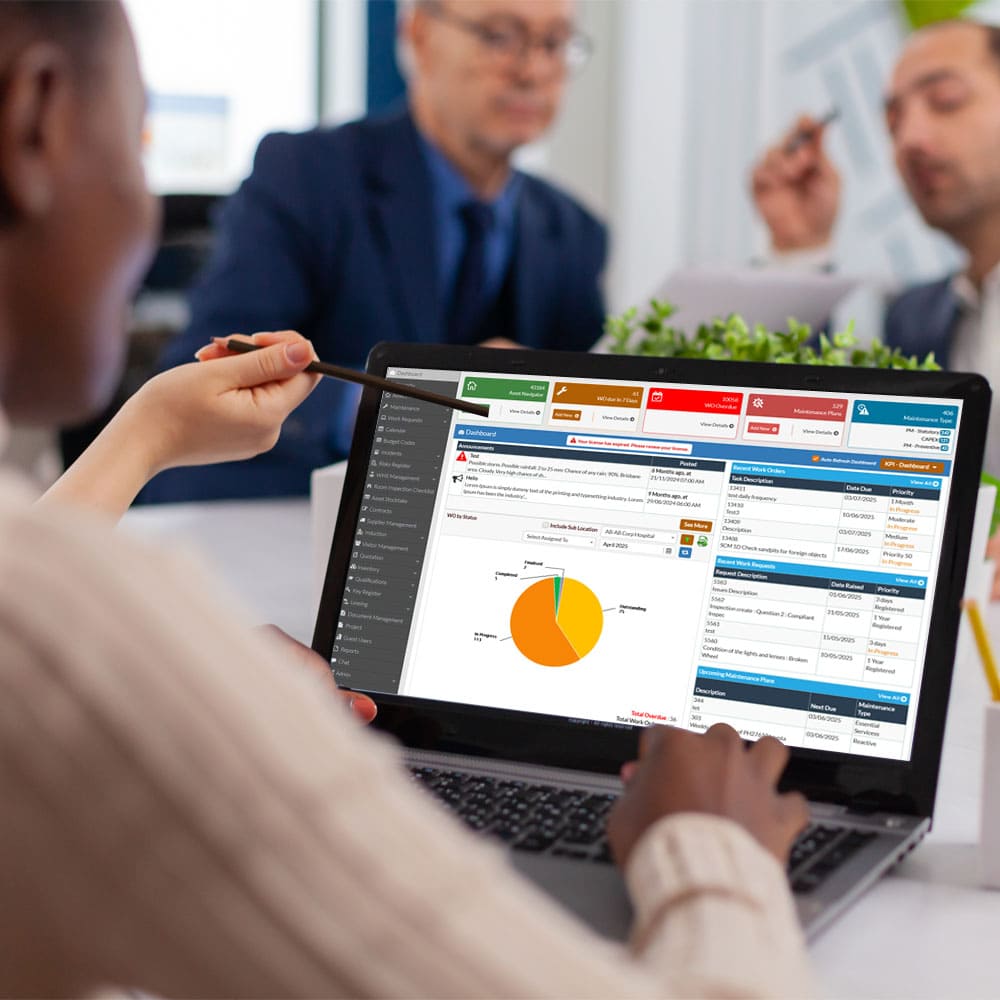
Step 5: Enable Real-Time Monitoring and Dashboards
Utilise your CMMS to track performance using live dashboards and key performance indicators (KPIs). Pinnacle Software allows you to:
- Track completed vs. overdue work orders
- Monitor costs per asset or category
- View asset availability and downtime
- Create visual charts for reports and presentations
These insights help identify underperforming assets and inform timely decisions, such as upgrades or replacements, thereby enhancing overall asset performance.
Step 6: Track Life Cycle Costs, Depreciation, and Replacement Planning
An essential part of asset life cycle management is understanding the total cost of ownership over time. To do this effectively, your CMMS should track not only operational costs but also depreciation and replacement forecasting.
Start by defining key financial parameters for each asset:
- Operational Depreciation Method – Select the method by which the asset's value will depreciate over time (e.g., straight-line or usage-based).
- Useful Life – Specify the expected service life of the asset in years or usage units (e.g., hours run, distance covered).
- Replacement Cost – Input the current or projected cost to replace the asset at the end of its useful life.
Once configured, Pinnacle CMMS will automatically use this data to calculate:
- Cumulative maintenance and operational costs
- Depreciation schedules
- Remaining useful life
- Total Life Cycle Cost (LCC)
- Cost-benefit analysis for repair vs. replacement decisions
This allows asset managers to make data-driven capital planning decisions, avoid reactive replacements, and prioritise investments in high-value assets. Lifecycle costing reports can also be exported or visualised in dashboards for stakeholders and finance teams.
Step 7: Integrate Compliance and Documentation
Ensure your CMMS tracks regulatory requirements, inspection checklists, and safety documentation to maintain compliance. Pinnacle offers:
- Custom form attachments
- Regulatory audit trails
- Alerts for mandatory inspections
- Role-based permissions for secure access
For industries like aged care, ports, and utilities, this helps maintain compliance with local and national regulations.
Step 8: Review, Refine, and Optimise
After implementation, your CMMS should be reviewed regularly:
- Are preventive tasks reducing breakdowns?
- Are asset lifespans improving?
- Are cost trends within targets?
- Is the reporting meeting addressing stakeholder needs?
Pinnacle's flexible dashboards and reporting tools make continuous improvement easy, supporting proactive decisions across departments.
Final Thoughts: Why Pinnacle CMMS?
Pinnacle Software is designed with flexibility, scalability, and user-friendliness in mind. As a fully cloud-based, Australian-owned CMMS platform, it includes:
- Full asset life cycle tracking
- Mobile access for field staff
- Automated work orders and notifications
- Customizable dashboards and reporting
- Local support and industry-specific configurations
Whether you're managing a fleet of service vehicles, aged care facilities, port infrastructure, or public buildings, Pinnacle gives you the tools to control costs, improve uptime, and extend asset value.
Ready to implement effective Asset Life Cycle Management with CMMS?
Contact us today to see how Pinnacle Software can support your asset strategy in Australia, New Zealand, or Papua New Guinea.
By transforming static asset records into live financial insights, Pinnacle Software enables organisations to transition from reactive maintenance to strategic asset management.